


Keep your WordPress site secure and running smoothly with this essential WordPress maintenance checklist. Learn the daily, weekly, and monthly tasks required to ensure optimal performance and security. Whether you’re handling updates yourself or relying on a provider, consistent WordPress management is key to long-term success.
Key Takeaways
- Regular website maintenance is essential for WordPress websites, enhancing security, performance, and user experience. A structured approach to regular and monthly WordPress maintenance ensures nothing critical is overlooked.
- Daily, weekly, monthly, quarterly, and annual regular maintenance tasks help in managing backups, security, and site performance effectively.
- Choosing the right website maintenance plan is crucial, as it aligns with business needs and ensures optimal website performance.
The Importance of WordPress Website Maintenance
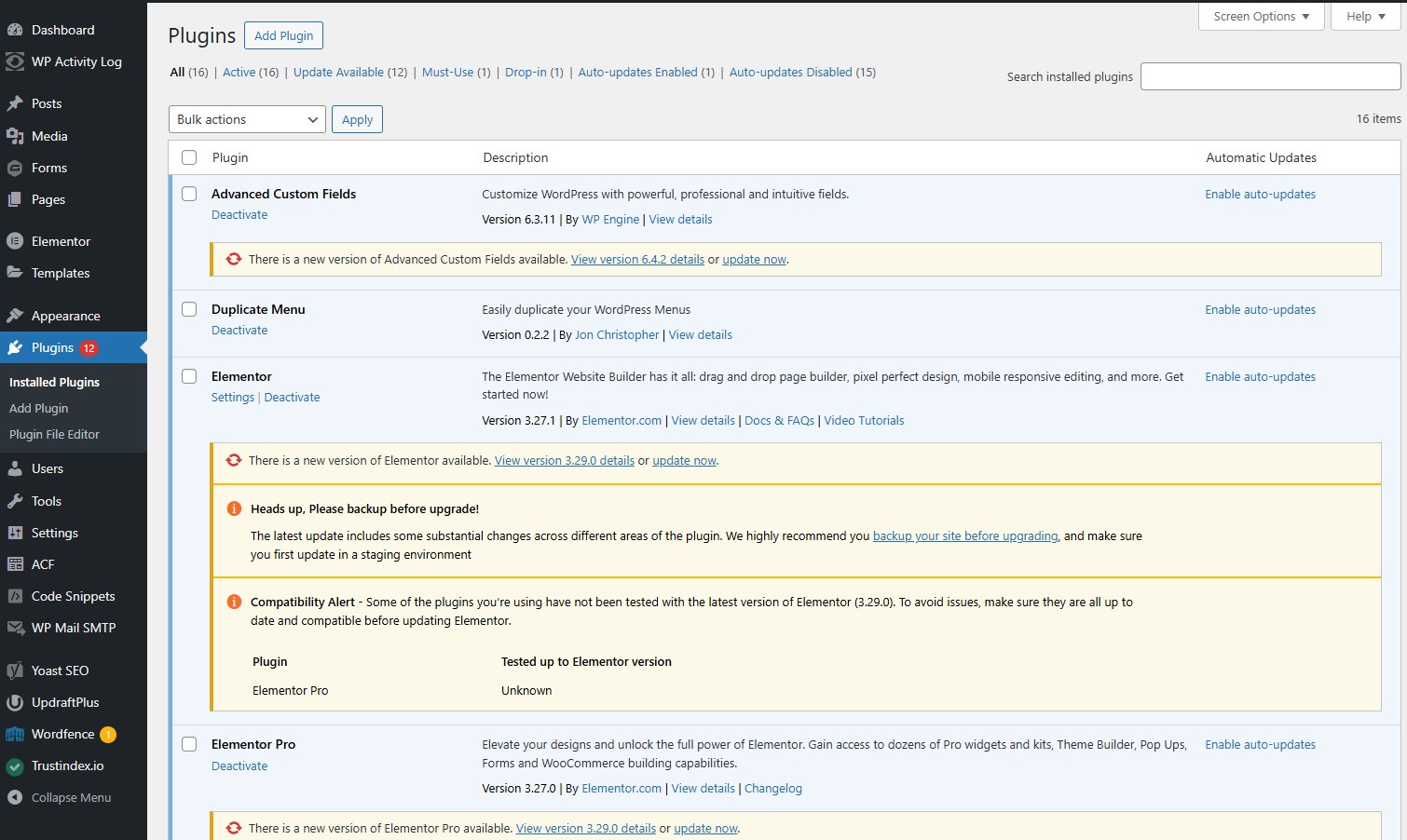
Maintaining your WordPress website consistently is essential for several critical reasons.
- To mitigate the possibility of security breaches, it’s vital to keep themes and plugins up to date with the latest security patches.
- Regularly backing up your site safeguards against data loss that may occur due to cyberattacks or complications during updates.
- These backups facilitate rapid recovery from any disruptions, thereby reducing operational downtime and maintaining business continuity.
Site performance is yet another significant aspect necessitating ongoing upkeep. A website burdened by sluggish load times can deter numerous visitors while also detracting from search engine positioning. Through routine maintenance checks, every component operates as intended, enhancing overall user experience and preventing minor glitches from developing into expensive fixes—particularly issues related to slow loading speed.
Continuous care reinforces a company’s expansion efforts by assuring uninterrupted functionality—a key element in preserving client loyalty and drawing in prospective customers. An efficiently maintained site projects an image of dependability and professionalism inherent to your brand identity—it becomes an invaluable asset pivotal for commercial achievement.
Daily WordPress Maintenance Tasks
Performing daily website maintenance activities is crucial for ensuring the security and efficient operation of your WordPress website. Begin each day by going through your daily task maintenance checklist, making sure to scrutinize the WordPress security logs for any signs of unusual activity that could suggest potential security breaches. Proactively addressing these concerns through regular upkeep can preempt more serious complications.
Combatting spam comments is essential in maintaining a reputable website. They not only clutter up your site, but also undermine its integrity. Employ tools such as Akismet to help manage and purge spam comments routinely, enhancing the user experience on your site and protecting it from harmful links.
Finally, executing consistent backups should be an indisputable aspect of your routine. It’s vital to maintain updated copies of both your site’s content and database every day, which will enable swift restoration in case you encounter issues stemming from cyberattacks or problematic updates. A bit of effort devoted consistently each day can prevent major troubles down the line.
Weekly WordPress Maintenance Tasks
To ensure the optimal operation of your WordPress website, carrying out weekly website maintenance tasks is crucial. Start by checking and updating licenses for any themes or plugins you use to avoid disruptions in functionality and safeguard against security risks. Utilize tools such as Broken Link Checker to spot and resolve any broken links, which helps maintain the reputation of your site. Employing a WordPress website maintenance checklist can assist you in systematically addressing vital upkeep steps like theme updates.
Maintaining a streamlined and efficient WordPress database is essential for improving both database performance and overall site responsiveness. Routinely clearing out superfluous data, including spam comments and excessive post revisions, will allow you to eliminate this information safely while boosting load times and reducing the bulkiness of backups.
Measuring your site’s loading speed with resources like Google PageSpeed Insights can pinpoint pages that may be lagging behind in terms of speed. Ensuring all forms on the website are functioning properly without hitches in email deliveries contributes greatly toward preserving an uninterrupted experience for users accessing your platform.
If you’re needing help with speeding up your WordPress site, check out our other article: Top 7 WordPress Speed Plugins to Boost Your Site Performance. We cover how you can easily improve your site’s speed with a simple plugin installation.
Monthly WordPress Maintenance Tasks
Monthly tasks involve a deeper analysis of your site’s health and performance on a monthly basis. Perform a manual backup monthly, even with automated plugins in place. This step by step instructions ensure you have an up-to-date restore point in case of an emergency.
Analyzing site analytics offers insights into user behavior and content performance. Google Analytics helps understand visitor origins and interactions, guiding future improvements.
Quarterly WordPress Maintenance Tasks
Performing tasks on a quarterly basis is vital for the upkeep of your site’s performance. By conducting regular performance evaluations, essential features that require optimization are highlighted to ensure your website remains quick and easy for users to navigate.
It is important to meticulously examine all content regularly to guarantee it stays up-to-date and pertinent, which sustains user engagement with the site and builds trust among visitors.
Annual WordPress Maintenance Tasks
It is crucial to carry out yearly tasks to maintain the health and performance of your site over time. Ensure continuous operation and access by renewing website hosting services annually. To save space, manage storage and disk usage efficiently by eliminating unnecessary files from your media library.
Undertake a comprehensive assessment of website performance regularly, examining traffic trends to adjust your content strategy accordingly. This evaluation pinpoints areas for enhancement while confirming that your site aligns with user expectations.
Essential Tools for WordPress Maintenance
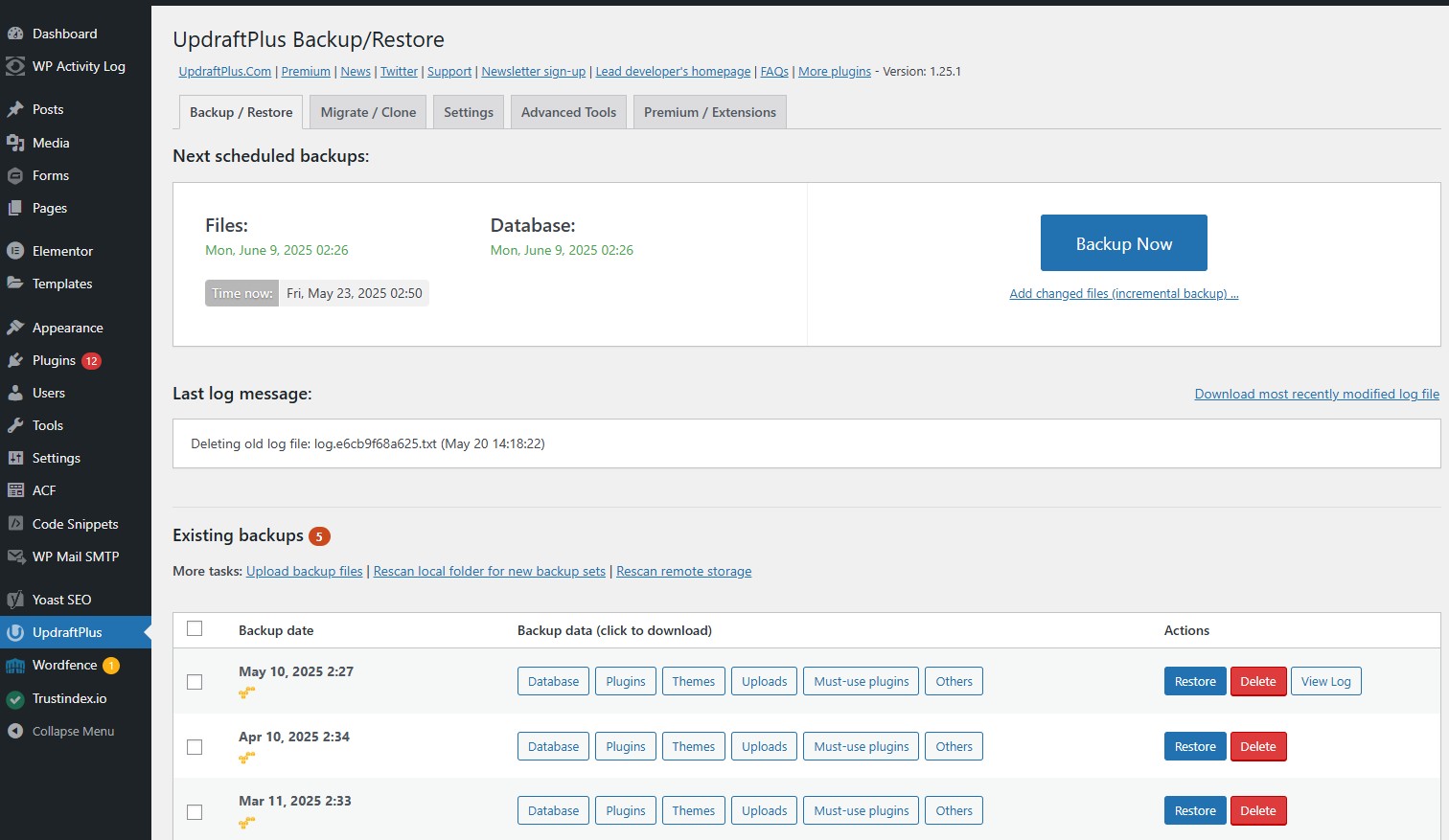
Effective maintenance of a WordPress website necessitates the right set of tools. Utilizing UpdraftPlus for backup provides swift recovery capabilities in extreme situations, allowing you to easily schedule automatic backups and restore your site with just a few clicks.
UpdraftPlus supports backing up your WordPress core files, plugins, themes, and database securely to remote storage locations such as Google Drive, Dropbox, or Amazon S3. This plugin is essential for safeguarding your site’s data, ensuring that you can quickly recover from data loss, hacking incidents, or faulty updates without significant downtime.
How to Handle an Emergency
Being prepared is crucial as emergencies can arise at any moment. The primary objective during a website emergency is to re-establish functionality and thwart additional harm. Start by evaluating the damage to pinpoint weaknesses that need fixing on your websites.
Expert website maintenance services, such as those by Resolve, are adept at swiftly troubleshooting technical glitches and fortifying website security, guaranteeing that everything operates smoothly. These types of professionals are capable of promptly dealing with issues, thereby reducing both downtime and potential financial setbacks.
Regular surveillance combined with hands-on examination of submission forms and payment procedures acts preemptively against security risks while verifying operational integrity. Such readiness maintains your website’s dependability when faced with urgent situations.
Choosing the Right Maintenance Plan
Choosing an appropriate website maintenance package is essential for ensuring peak performance of your website. Establish a clear budget since the cost can vary widely between various plans. When selecting a maintenance plan and maintenance services, take into account the specific requirements of your business, the complexity of your site, and the level of traffic it receives.
Smaller sites might find that basic maintenance plans suffice their needs. More complex client sites with higher demands may require advanced plans to maintain superior site functionality and support business objectives effectively.
To achieve the best possible outcomes from your website maintenance efforts, consider engaging with specialized website maintenance services like Resolve, which provide custom solutions and WordPress management tailored to meet your unique requirements. A well-selected maintenance plan and maintenance services are fundamental to maintaining a robust online presence for any business.
Final Thoughts
In essence, consistent site maintenance is essential for safeguarding security, enhancing performance, and improving the user experience. Adhering to a systematic site maintenance checklist guarantees that your website stays secure, operates efficiently, and remains accessible to users. Tasks that should be performed daily, weekly, monthly, quarterly, and annually are all integral in keeping your website well-maintained.
Allocating time and resources towards an exhaustive WordPress maintenance plan transcends mere problem prevention—it’s about guaranteeing that your website propels the growth and triumph of your business. Act now to ensure the longevity of smooth operations for your WordPress site.